 Overtoaster
Ready when your PC is.
Testers come from this list. January.
Two e-mails, max. The toast hates newsletters.Your Windows gaming PC streams its Steam games and apps to your Mac. Each one opens like a real Mac app. The PC stays in the other room.
Mac with Apple silicon · Windows 11 PC with an NVIDIA graphics card
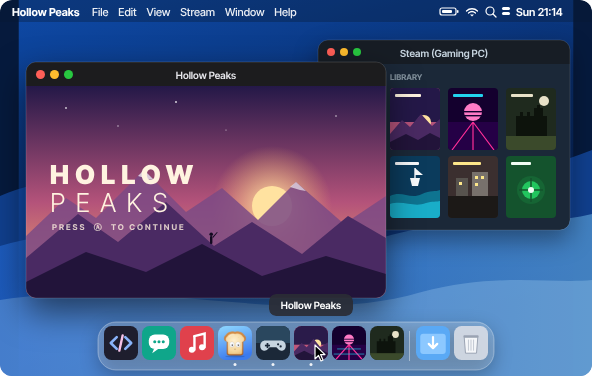
The app

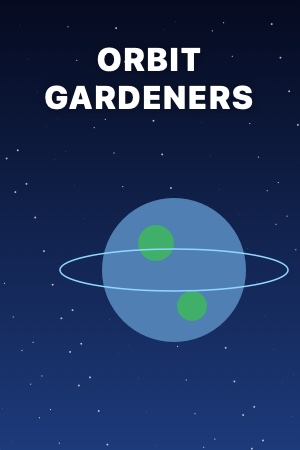
Made-up games; yours come from Steam. ~4 ms PC to Mac, measured (RTX 5080 → MacBook Pro, 1440p, Ethernet).
01 · Spotlight and the Dock
Each Steam game gets its own app with its cover. ⌘ Space, type, play. It sits in the Dock like it always lived there.

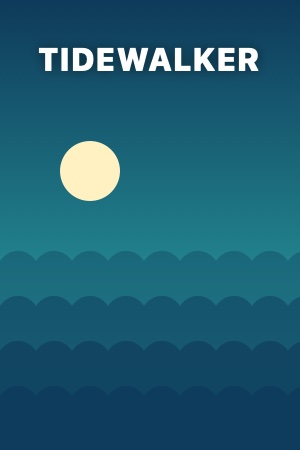
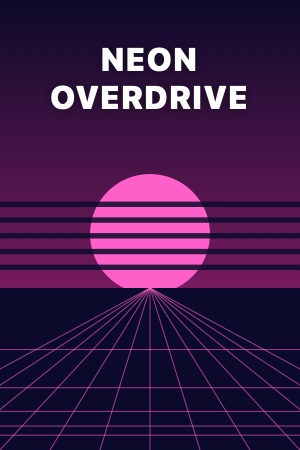
 Hollow Peaks
02 · Windows apps
Steam, a terminal, any program: each in its own window next to your Mac apps. ⌘-Tab, Mission Control and full screen work like they should.

PS C:\Users\you> winget upgrade --all
Found 3 upgrades
Done. Windows, but it feels like a Mac.
03 · Wake and sleep
Start a game on the Mac: the PC in the other room wakes up, streams, and goes back to sleep when you're done. You never touch it.
▶ PlayWhy Overtoaster
Moonlight, Parsec and Steam Link show your whole PC in one window. Drag the line.


How it works
 01
01Drag it to Applications. The only download.
 02
02Open the address the Mac shows, run the installer, check the code.
 03
03Your games show up as Mac apps. Click one.
Requirements
What your setup needs for the beta (besides bread). Tested on a few PCs so far: that's what testers are for.
Overtoaster, serves one household
Not yet: AMD and Intel GPUs · away from home · microphone · several monitors · HDR (experimental)
Who makes it
I make Overtoaster alone, in Prague, and play my PC games on my Mac this way every day. Questions go straight to me: on Discord or at [email protected].
After the beta
One licence for all your Macs and PCs, every 1.x update. 14-day trial. Testers get 30 % off.
No. PC to Mac, encrypted, on your home network. No account, no cloud. Only a problem report you send yourself leaves.
They're good. They show the whole PC in one window. Overtoaster makes each game and program a Mac app, sets up the PC from the Mac and wakes it on its own.
Yes. Different ports, own virtual display. They get along.
About 4 ms from the PC's frame to the Mac's picture (RTX 5080, MacBook Pro, Ethernet, 1440p). Side by side with Moonlight: the testers will tell.
Nothing changes on it: Overtoaster uses a virtual display sized to your Mac. Anyone at the PC gets a notification with a Stop button.
Yes. Ethernet is smoother, and needed to wake the PC from sleep.
The games run on a normal Windows PC; we don't touch them. Full screen works. Which games complain is what the beta is for.
From this list, early January, for a mix of hardware. Picked = one e-mail with the download, and 30 % off 1.0.
No account. A key, checked offline on your Mac. The beta needs none.
Not yet. Same home network for now.
NVIDIA GTX 16, RTX 20 and newer. AV1 needs RTX 40+. AMD and Intel come later.
For games, yes. The desktop and other programs work without it.
The PC downloads its part from your Mac over your home network. Browsers call any local page “Not secure”. Choose Keep.

Testers come from this list. January.
Two e-mails, max. The toast hates newsletters.